Wish List & Quick Order Enhancements [March 2026]
New enhancements to Wish List & Quick Order launched in March 2026
What’s Changed?
We've introduced new capabilities that make it significantly easier to reorder frequently purchased items and manage bulk actions across Wish Lists and Quick Order.
You can now:
Add all items from a wish list directly to your cart in one click
Create and manage wish lists directly from Quick Order
Persist quantities on wish list items for faster repeat purchasing
Select and update supplier offers without leaving your workflow
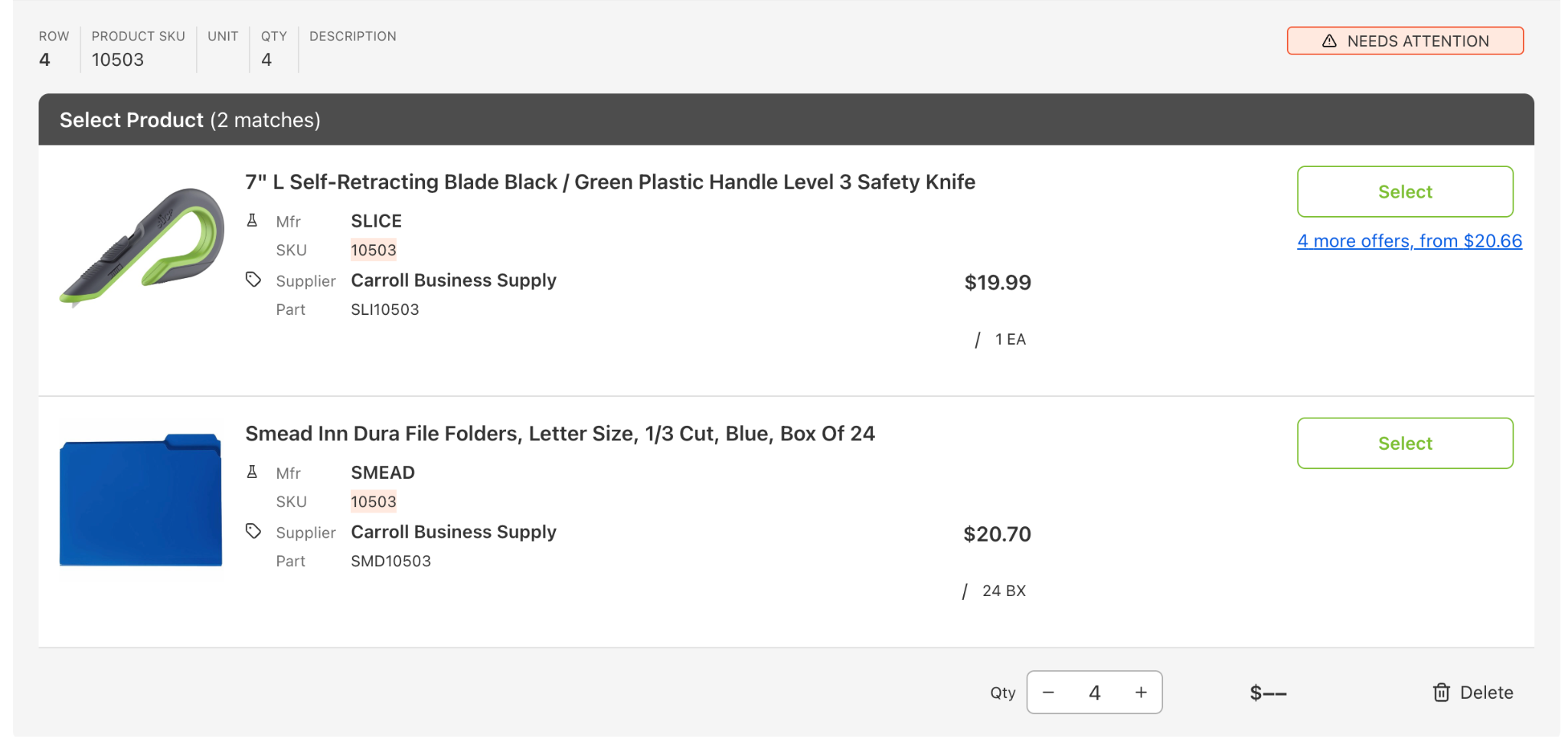
Handle unavailable items more clearly with guided alternatives
Add all items from a wish list directly to your cart in one click
Create and manage wish lists directly from Quick Order
Persist quantities on wish list items for faster repeat purchasing
Select and update supplier offers without leaving your workflow
Handle unavailable items more clearly with guided alternatives
Why This Matters
These updates are designed to reduce friction in repeat purchasing workflows:
Reorder commonly used items in seconds
Avoid rework with saved quantities and reusable lists
Make faster decisions with in-context offer selection
Stay productive even when items are unavailable
Reorder commonly used items in seconds
Avoid rework with saved quantities and reusable lists
Make faster decisions with in-context offer selection
Stay productive even when items are unavailable
In short: fewer clicks, faster reordering, and more control over how you buy.
Key Features
Bulk Add to Cart from Wish Lists
A new “Add All to Cart” button allows you to instantly move an entire wish list into your cart.
Quantities from the wish list are preserved
If no quantity is set, items default to 1
Existing cart items are automatically merged (quantities are summed)
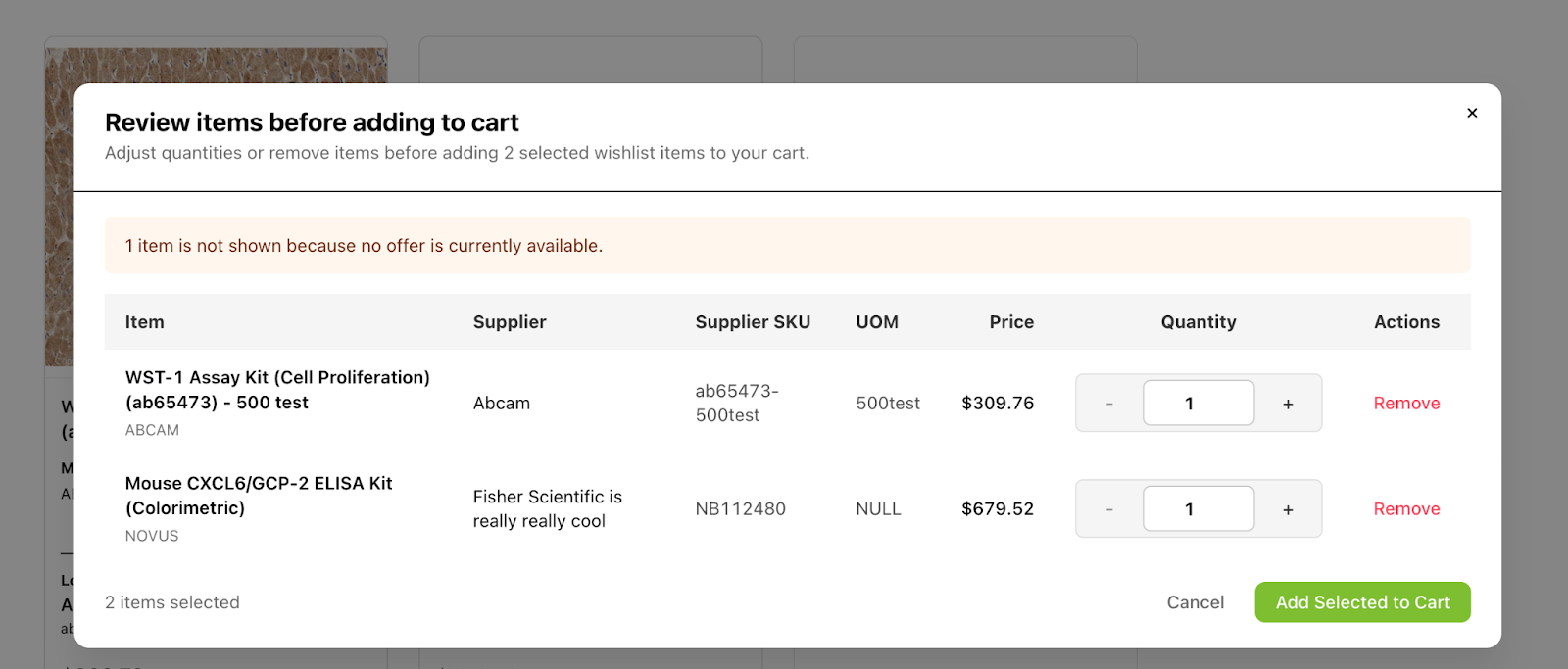
Suppliers & purchasing options can be configured via quick view before adding to cart ← something like this
Quantities from the wish list are preserved
If no quantity is set, items default to 1
Existing cart items are automatically merged (quantities are summed)
Suppliers & purchasing options can be configured via quick view before adding to cart ← something like this
Create Wish Lists from Quick Order
You can now turn a set of Quick Order items into a reusable wish list.
“Add All to Wish List” CTA available when items are present
Create a new list (default name: Quick Order – [Date]) or add to an existing one
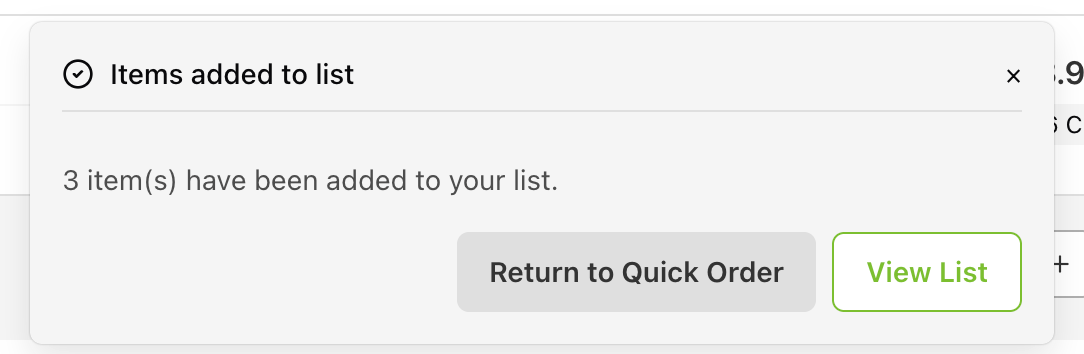
Clear confirmation with options to view the list or continue ordering
“Add All to Wish List” CTA available when items are present
Create a new list (default name: Quick Order – [Date]) or add to an existing one
Clear confirmation with options to view the list or continue ordering

Improved Handling of Unavailable Items
When items are no longer available:
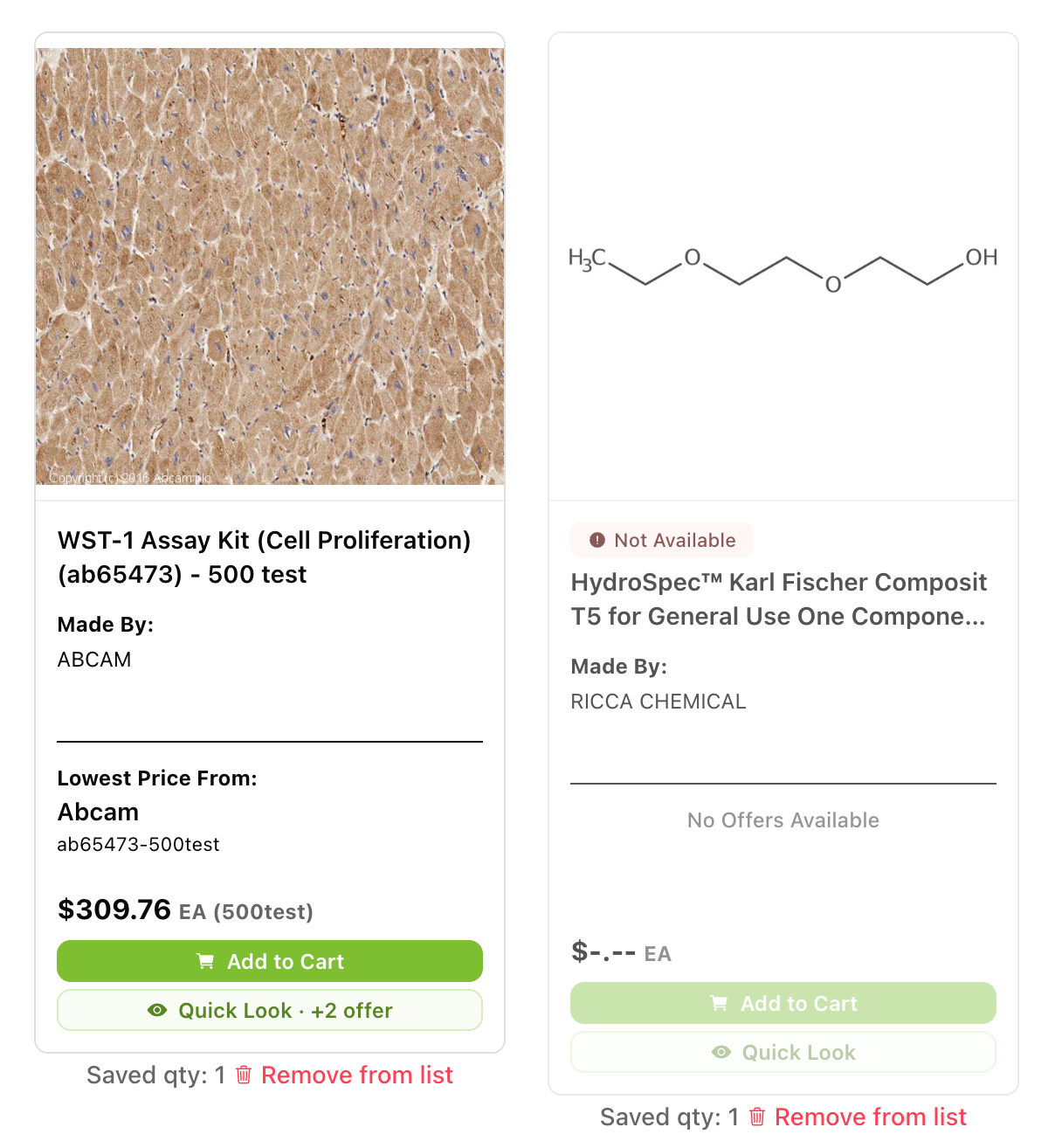
Clearly labeled as “Not Available”
Add to Cart and Quick View are disabled
Items remain saved in your wish list for visibility
Clearly labeled as “Not Available”
Add to Cart and Quick View are disabled
Items remain saved in your wish list for visibility
Success & Error Feedback
Clear system feedback ensures you always know what’s happening:
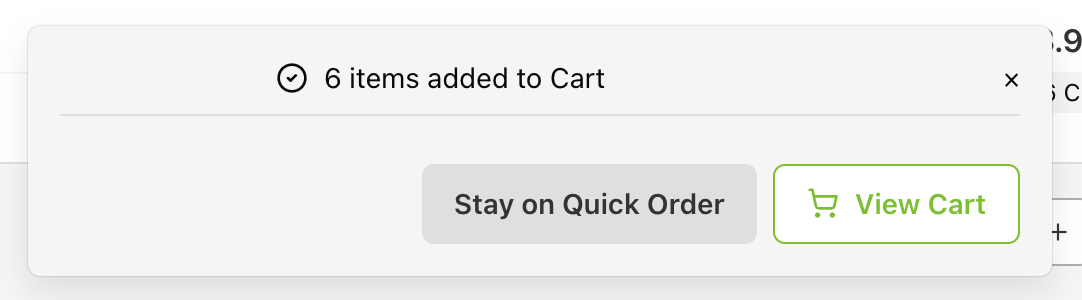
Success messages confirm bulk actions with links to next steps
Items that cannot be added to cart remain in the wish list with appropriate warnings
Success messages confirm bulk actions with links to next steps
Items that cannot be added to cart remain in the wish list with appropriate warnings