Similar Products: Discover Variants Faster [May 2026]
Stop searching and start comparing. Our new AI-driven variant grouping brings every size, color, and concentration directly to you. Updated May 27, 2026
What’s Changed?
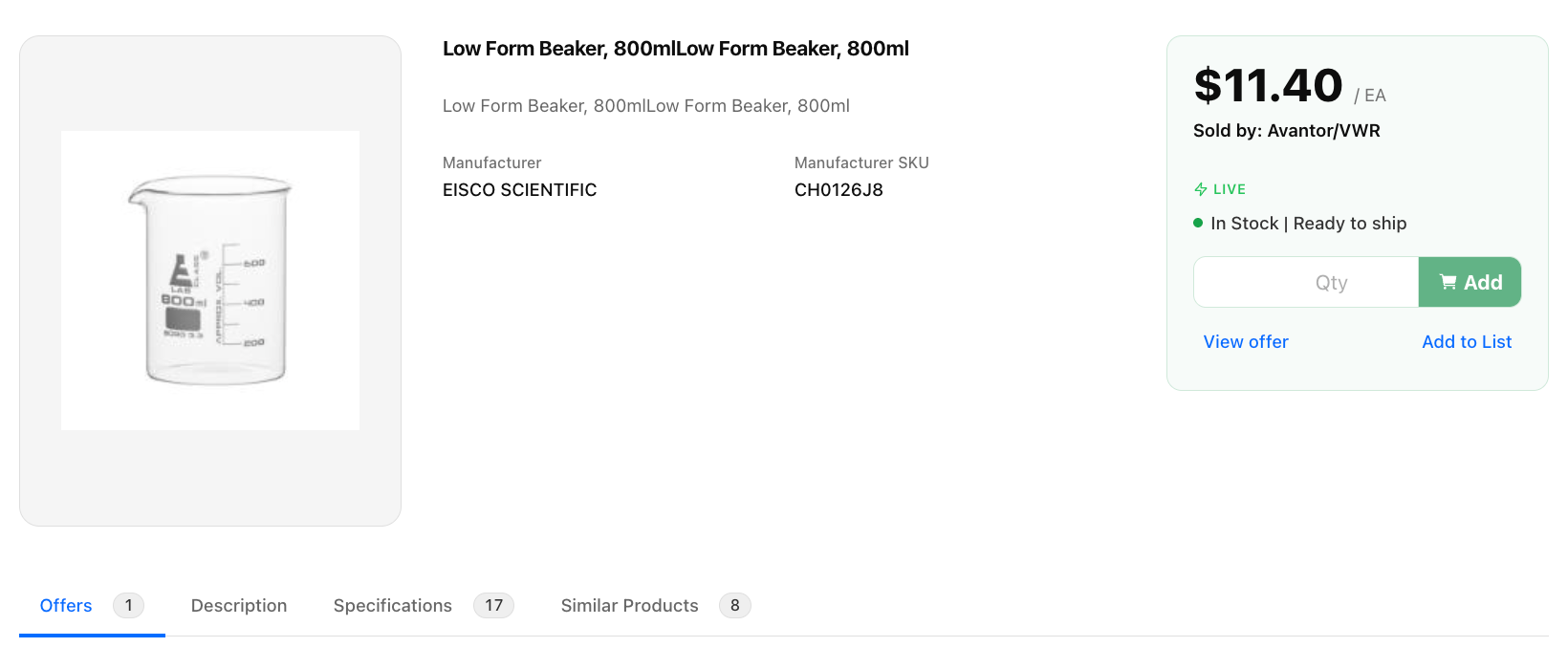
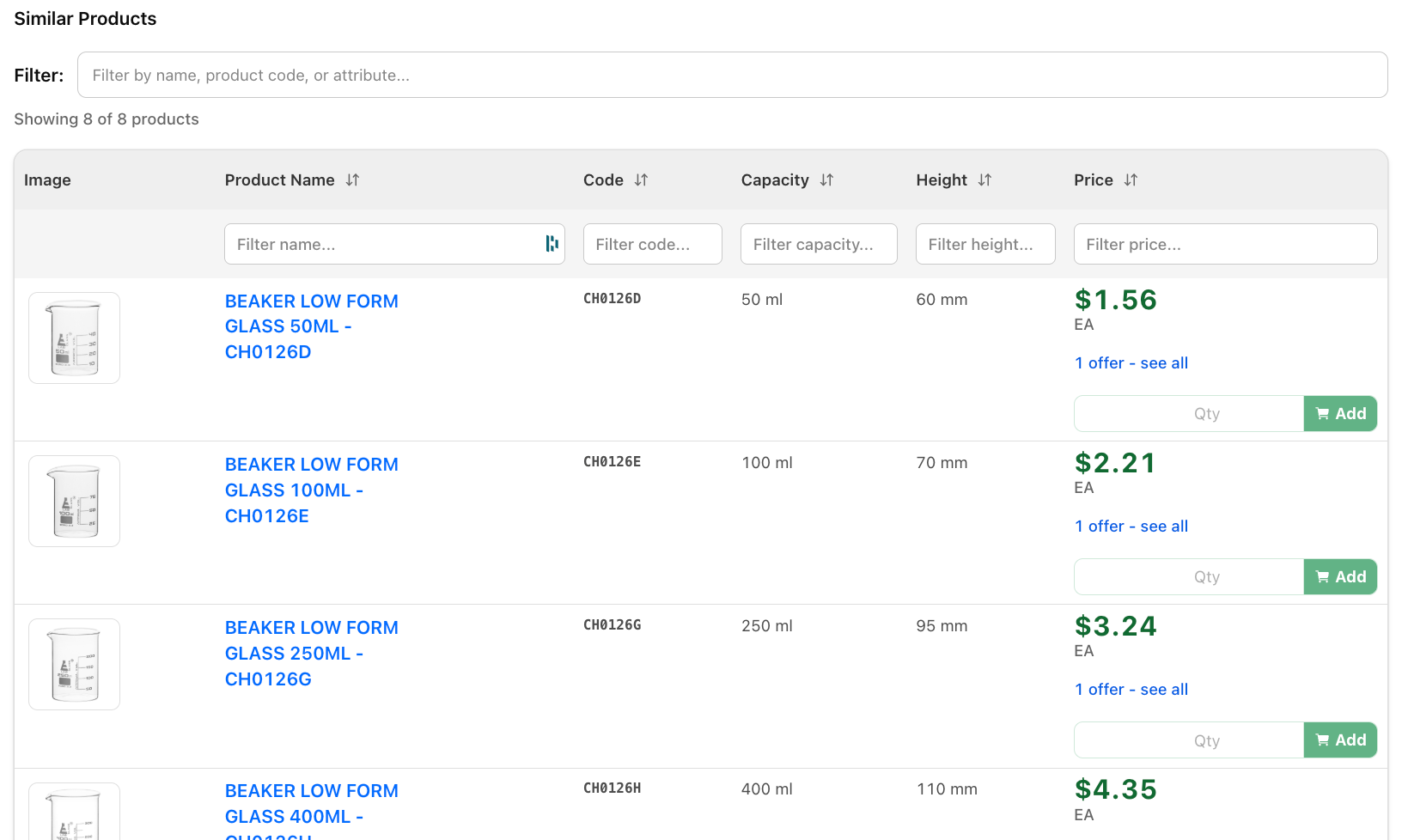
Finding the exact variant of a product—like the right cap color for a microtainer or the specific concentration of a reagent—just got a lot easier. We’ve introduced a "Similar Products" section on the Product Detail Page (PDP) that groups "families" of items together in one interactive table.
You can now:
Compare side-by-side: View closely related products from the same manufacturer without leaving the page.
See AI-driven differences: Our backend uses LLMs to identify exactly what makes a variant unique (e.g., "Volume" or "Material") and displays those as dedicated columns.
Add to Cart instantly: Select your quantity and add the best available offer to your cart directly from the table.
Compare side-by-side: View closely related products from the same manufacturer without leaving the page.
See AI-driven differences: Our backend uses LLMs to identify exactly what makes a variant unique (e.g., "Volume" or "Material") and displays those as dedicated columns.
Add to Cart instantly: Select your quantity and add the best available offer to your cart directly from the table.
Why This Matters
In the lab, the difference between a 5mL and 10mL tube is everything. Previously, finding these variants required multiple searches and tabs, leading to "search fatigue" and occasional ordering errors.
Zero-Effort Discovery: We’ve done the heavy lifting by clustering SKUs into "similarity groups" automatically.
Procurement Precision: By seeing all variants and their prices in one table, procurement managers can ensure they are getting the best UOM (Unit of Measure) for their budget.
Workflow Continuity: Stay in the flow. If the current page isn't exactly what you need, the right version is likely just a few inches down the screen.
Zero-Effort Discovery: We’ve done the heavy lifting by clustering SKUs into "similarity groups" automatically.
Procurement Precision: By seeing all variants and their prices in one table, procurement managers can ensure they are getting the best UOM (Unit of Measure) for their budget.
Workflow Continuity: Stay in the flow. If the current page isn't exactly what you need, the right version is likely just a few inches down the screen.
Key Features
The "Similar Products" Interactive Table
Located conveniently between the product description and technical attributes, this table acts as your command center for variants.
Dynamic Attribute Columns: Unlike static tables, these columns change based on the product. For tubes, you might see "Cap Color"; for chemicals, you might see "Purity."
Global Table Search: Looking for a specific SKU or attribute within a large family? Use the built-in search bar to filter the table in real-time.
Advanced Filtering: Every column is sortable and includes individual filters, allowing you to narrow down by price, SKU, or specific features.
Dynamic Attribute Columns: Unlike static tables, these columns change based on the product. For tubes, you might see "Cap Color"; for chemicals, you might see "Purity."
Global Table Search: Looking for a specific SKU or attribute within a large family? Use the built-in search bar to filter the table in real-time.
Advanced Filtering: Every column is sortable and includes individual filters, allowing you to narrow down by price, SKU, or specific features.
Best-Price Intelligence
We’ve simplified the pricing view to show you the most relevant data first.
Smart Pricing: The table highlights the lowest available price in bold green alongside its Unit of Measure (UOM).
Transparent Offer Access: If a variant has multiple suppliers, the "[X] offers - see all" link lets you bypass the "lowest price" and pick your preferred vendor based on lead time or contract.
Smart Pricing: The table highlights the lowest available price in bold green alongside its Unit of Measure (UOM).
Transparent Offer Access: If a variant has multiple suppliers, the "[X] offers - see all" link lets you bypass the "lowest price" and pick your preferred vendor based on lead time or contract.
Integrated "Quick View" Modal
Clicking into a variant's offers doesn't take you away from your research. A sleek overlay appears, allowing you to:
View all available supplier stock.
Compare lead times across different vendors.
Update your cart and close the modal to keep browsing the main product.
View all available supplier stock.
Compare lead times across different vendors.
Update your cart and close the modal to keep browsing the main product.